Introduction
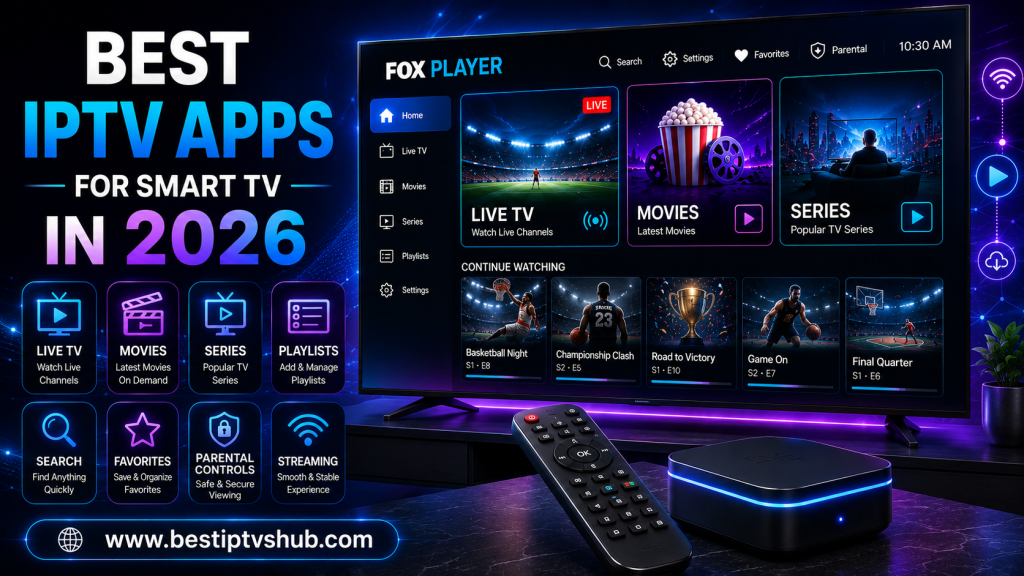
Watching IPTV on a Smart TV can be dramatically better than watching it on a phone or computer—but only if you choose the right app. A good IPTV app should make channel navigation simple, handle your playlists reliably, provide a useful electronic program guide (EPG), support your television's operating system and offer the features you actually need. The wrong app can mean confusing menus, poor remote control navigation, compatibility problems or unnecessary setup headaches.
Quick Answer: What Is the Best IPTV App for Smart TV in 2026?
For Android TV, Google TV and compatible Android-based streaming devices, TiviMate is one of the strongest choices for a TV-first experience, particularly if you want an EPG, multiple playlists, favorites, catch-up, recording and multiview. TiviMate's current Google Play listing confirms support for M3U, Xtream Codes and Stalker Portal, and states that it is designed for Android TV and remote navigation. For broader Smart TV compatibility, SmartOne is worth considering because its current platform list includes Samsung, LG, VIDAA, Android TV, Google TV, Fire TV and several other TV platforms.
Smarters Player/Pro can be useful for multi-platform households, while SS IPTV is another option for compatible LG and other supported televisions. Availability and app names can vary by television model, operating system and region. Most importantly, these applications are players, not IPTV channel providers. You need a legitimate playlist or authorized streaming source to use them.
Best IPTV Apps for Smart TV in 2026
There isn't one IPTV application that is perfect for every television. The best choice depends on your TV operating system, how you receive your IPTV service, the features you want and whether you prioritize simplicity or advanced controls.
| IPTV App | Best For | Notable Features | Main Compatibility |
|---|
| TiviMate | Android TV power users | EPG, multiview, recording, favorites, catch-up | Android TV |
| SmartOne | Broad Smart TV compatibility | Multi-account, catch-up, favorites, live scores | Samsung, LG, VIDAA, Android TV, Fire TV and more |
| Smarters Pro/Player | Multi-platform users | Playlists, favorites, parental controls, cross-platform support | Smart TVs, Android, iOS, Windows, macOS and others |
| SS IPTV | Compatible Smart TVs | Playlist-based IPTV playback | LG and selected other TVs |
| OTT Navigator | Advanced Android users | Customization, catch-up, multiview | Android/Android TV |
| VLC | General media playback | Broad media-format support | Many platforms |
The table is a starting point—not a universal ranking. Your television model should be the first compatibility check.
What Is an IPTV App?
An IPTV app is software that lets you play television or video content delivered through an internet connection. The app itself usually doesn't own or provide the channels. This distinction is critical:
- IPTV app = player
- IPTV service = content source
For example, TiviMate explicitly describes itself as a media player and says it does not provide channels, streams or media content. Users must add their own playlists. SmartOne makes the same distinction, stating that it is a video player and does not offer channels, subscriptions or streaming services. This means installing an IPTV player does not automatically give you access to live TV, sports or premium channels. You need an authorized content source as well.
1. TiviMate: Best for Android TV
TiviMate is one of the strongest choices if your main priority is a polished television experience on Android TV. Its current Google Play listing includes:
TiviMate currently has more than 5 million Google Play downloads, according to its current listing, and was updated in June 2026.
Why TiviMate stands out?
Its biggest advantage is its TV-first design. The interface is designed around a large screen and remote control rather than touch navigation. That makes it particularly attractive for:
Android TV users
Google TV users
Android TV boxes
Fire TV users where compatible installation is available
Users managing multiple playlists
Sports viewers who value EPG and multiview
Who should choose TiviMate?
Choose TiviMate if you want: A traditional TV-style IPTV experience with advanced controls. It may be unnecessary if you only need a simple player with one playlist.
2. SmartOne: Best for Broad Smart TV Compatibility
SmartOne takes a different approach. Instead of concentrating primarily on Android TV, it supports a broad range of television platforms. Its official compatibility information lists support for:
The app also offers features such as multiple accounts, multiple devices, favorites, catch-up, parental controls, category hiding, themes and live sports scores.
Why SmartOne is interesting?
Smart TV ecosystems are fragmented. Samsung doesn't use the same operating system as LG. VIDAA isn't identical to Android TV. Older television models can have completely different app-store requirements. A player supporting multiple ecosystems can therefore be useful for households with different televisions.
Who should choose SmartOne?
SmartOne is particularly attractive if:
You have Samsung or LG
You use VIDAA
You want one familiar IPTV interface across different TVs
You want sports scores inside the player
You want catch-up functionality
You need multiple-account support
3. Smarters Pro/Player: Best for Multi-Platform Users
The Smarters name can be confusing because multiple similarly named applications exist. This is one area where users should slow down before installing an app. The official Smarters Pro site describes its product as a media player supporting platforms including Android, iOS, Smart TVs, Android TV, Windows, macOS and web browsers. It supports M3U and JSON formats and provides features such as favorites, multiple playlists and parental controls. The separate Smarters Player platform also lists Samsung, LG, Roku, Android TV, WhaleOS and other platforms. It clearly states that the application does not include playlists or content. Samsung's current app listings also show Smarters Pro as a media player, with the developer/seller information visible on the store page.
Important: Verify the Developer: Because several applications use similar names, don't install an app solely because the name contains "Smarters." Check:
Developer/seller name
Official website
App-store listing
Supported platform
Privacy information
Reviews
Update history
The official Smarters Pro website itself warns users about sites copying its name and branding.
Who should choose Smarters?
It can make sense for households using several different devices or people who prefer a straightforward playlist-based interface.
4. SS IPTV: Useful for Compatible Smart TVs
SS IPTV is another established IPTV player designed around Smart TV platforms. Its official documentation provides installation information for LG, Samsung, Philips and Sony televisions. However, its Samsung availability has specific limitations, including models where installation may require a USB-based method rather than the Samsung Smart Hub. This illustrates an important point:
"Supports Samsung TV" is not enough information: You should check your exact TV model and operating-system generation.
When should you consider SS IPTV?
It may be useful if:
Your television is compatible
Your IPTV source provides a compatible playlist
You want a straightforward player
You don't need the extensive customization of a power-user app
5. OTT Navigator: For Advanced Android Users
OTT Navigator is another option worth investigating for Android-based devices. It is more suitable for users who enjoy customizing their viewing experience and experimenting with advanced playback and organization features. Typical power-user requirements include:
Multiple playlists
EPG
Catch-up
Favorites
Search
Multiview
Advanced organization
The trade-off is that advanced IPTV applications can take longer to configure than a simple player. If you're setting up IPTV for a family member who wants something extremely simple, a feature-heavy application may not be the best choice.
6. VLC: A Flexible General Media Player
VLC isn't an IPTV-specific Smart TV application in the same sense as TiviMate or SmartOne. However, its broad media support makes it useful for people who need a general-purpose player rather than a dedicated television interface. It's better suited to users who already understand playlists, network streams and media files. For someone looking for a polished living-room IPTV experience, a dedicated TV-focused player is generally easier.
How to Choose the Best IPTV App for Your Smart TV
Instead of asking only: "Which IPTV app is best?"
ask: "Which IPTV app is best for my TV, my playlist and my viewing habits?"
Use this decision process.
- Step 1: Identify Your TV Operating System: Your operating system determines which apps are actually available. Check whether you have:
- Step 2: Check the App Store First: The safest starting point is your television's official application store. Avoid downloading random APK files simply because a website claims an app is "better." Search for the app and verify:
Exact app name
Developer
Version
Update date
Reviews
Supported features
- Step 3: Check Your IPTV Source: Before selecting a player, determine what format your legitimate provider gives you. Common formats include:
Not every app supports every format. TiviMate, for example, currently lists M3U, Xtream Codes and Stalker Portal among its supported formats.
Best IPTV App by Smart TV Type
- Best IPTV App for Samsung Smart TV: There isn't one universal winner for every Samsung generation. SmartOne and compatible Smarters applications are options to investigate, while other dedicated Smart TV players may also be available. Always check the Samsung app store on your exact television. Samsung's own current app listings show that media-player applications are available through its ecosystem, but similarly named apps can come from different developers.
- Best IPTV App for LG Smart TV: SmartOne and SS IPTV are options for compatible LG models. SS IPTV's official documentation specifically covers LG Smart TV installation.
- Best IPTV App for Android TV: TiviMate is a particularly strong choice because its interface is specifically designed around Android TV and remote control navigation.
- Best IPTV App for Google TV: Android-based players such as TiviMate can be strong choices, provided your specific Google TV device supports the application.
- Best IPTV App for Fire TV: Compatibility varies by app and installation method. Check the current official documentation and Amazon device requirements before installing.
Features That Actually Matter
A long feature list doesn't automatically mean a better app. Prioritize the features you'll actually use.
- Electronic Program Guide: An EPG lets you browse upcoming programming without manually opening individual channels. For live TV users, this can dramatically improve navigation.
- Catch-Up: Catch-up allows supported services to make previous programming available. It's particularly useful when you miss a live event.
- Favorites: Favorites are essential when a service contains hundreds or thousands of channels. Instead of scrolling through everything, you can create a personal shortlist.
- Search: A good search function becomes increasingly important as your playlist grows.
- Multiple Playlists: If you use different legitimate content sources, multiple playlist support can simplify management.
- Parental Controls: Families should consider parental controls when children have access to the television.
- Multiview: Multiview can be particularly useful for sports fans who want to monitor several supported streams at once.
IPTV App vs IPTV Subscription: Don't Confuse Them
This is probably the most important concept in this article. An IPTV app generally does not equal an IPTV subscription. For example:
- TiviMate + no playlist = no channels
- SmartOne + no content source = no channels
- Smarters Player + no playlist = no channels
These applications are tools for accessing content you are authorized to watch. TiviMate explicitly states that its paid features don't include channel or media access. Smarters Player similarly states that its purchase covers the application and not playlists, channels or media content.
Is IPTV Legal?
IPTV is simply a method of delivering television and video over an internet connection. The important question is whether the content source is authorized. A legitimate IPTV setup can involve:
Official broadcaster applications
Licensed streaming services
Authorized IPTV providers
Your own legally acquired media
Legitimate playlists
Be cautious of services or websites promising premium sports, movies and television channels at unusually low prices without explaining where the content comes from. The app itself doesn't make an unauthorized stream legal.
Why It Matters
Choosing the right IPTV app matters because your application sits between your content source and your television. A poor player can make a good service feel unreliable. A well-designed player can make navigation significantly easier. For example, imagine two users with the same legitimate IPTV source.
- User A:
No EPG
Difficult navigation
No favorites
Poor remote support
- User B:
EPG
Favorites
Search
Catch-up
Good remote navigation
Organized categories
The underlying content may be identical, but the viewing experience is completely different.
Common Mistakes to Avoid
- Installing the First App You Find: Search results can contain similarly named applications. Verify the developer.
- Ignoring Your TV Model: A player might support Samsung TVs generally but not work correctly on your specific generation.
- Choosing Based Only on Appearance: A beautiful interface isn't useful if the app doesn't support your playlist format.
- Assuming the App Provides Channels: Most IPTV players don't provide content.
- Downloading Unknown APKs: Random APK websites create unnecessary security and privacy risks. Prefer official stores and official developer documentation.
- Buying Before Checking Compatibility: Confirm compatibility before paying for premium features.
- Assuming More Features Are Always Better: If your parents or children are using the TV, an extremely complicated interface may actually be worse.
Best Practices for Smart TV IPTV
Follow these steps for a smoother setup.
- Update Your TV: Keep the television firmware current.
- Update the IPTV App: New versions can address bugs and compatibility issues.
- Use a Stable Internet Connection: Streaming quality depends heavily on network stability.
- Prefer Ethernet When Practical: A wired connection can reduce wireless interference for TVs located near the router.
- Organize Favorites: Don't leave thousands of channels in one giant list.
- Keep Your Playlist Clean: Remove duplicate or obsolete entries.
- Use Parental Controls: Enable them when appropriate for a family television.
- Verify Your Content Source: Only use streams and playlists you are authorized to access.
How to Fix IPTV Buffering on Smart TV
Even the best IPTV app can't compensate for every network problem. If playback keeps stopping, diagnose the issue systematically.
Check these first:
Restart your router.
Restart your Smart TV.
Test another application.
Check your internet speed.
Stop unnecessary downloads.
Move closer to the router if using Wi-Fi.
Try Ethernet.
Update the IPTV application.
Update the TV firmware.
Test another legitimate stream.
If Netflix, YouTube and other streaming services work normally but one particular IPTV stream repeatedly buffers, the issue may be related to that stream or its source rather than your television.
Best IPTV App for Sports Fans
Sports viewers often need more than simple channel playback. Look for:
TiviMate's current feature set includes multiview, recording, catch-up, EPG, favorites and multiple playlists, making it particularly interesting for advanced sports-oriented Android TV users. SmartOne also includes live sports scores alongside its IPTV player features. Remember, however, that these features don't grant broadcasting rights to sporting events.
Best IPTV App for Families
For a family television, simplicity should be a priority. A good family setup should provide:
You don't necessarily need the most advanced player. You need one everyone in the household can understand.
Best IPTV App for Small Businesses and Hospitality
Businesses such as hotels, cafés, restaurants and sports bars should take additional care. A consumer IPTV application doesn't automatically provide commercial viewing rights. If your business intends to show television or sports publicly, investigate the appropriate commercial licensing and broadcaster terms. For a small business, this is an important distinction: Technical capability ≠ commercial permission. The app can play a stream, but your business still needs to comply with applicable content and public-viewing rights.
Best IPTV Apps and the Future of Smart TV
Smart TV streaming is becoming increasingly focused on personalization. Users increasingly expect:
Faster search
Better recommendations
Personalized home screens
Multi-device synchronization
Voice control
Better EPG interfaces
Smarter content discovery
More flexible playback controls
Some IPTV applications are already adding features such as live sports scores, customizable themes, multi-account support and AI-powered functionality. SmartOne, for example, currently advertises AI-powered player functionality alongside its broader feature set. For consumers, this means the best IPTV app in the future may be less about simply playing a stream and more about organizing an entire television experience.
How Best IPTVs HUB Can Help
Best IPTVs HUB can naturally complement this topic by publishing practical guides around IPTV applications, Smart TVs, streaming devices, setup procedures, troubleshooting and football streaming. Instead of simply creating pages that repeat "best IPTV" keywords, useful content should answer the questions users actually have:
Which IPTV app works with Samsung TV?
Which IPTV app is best for Android TV?
How do I add an M3U playlist?
Why is IPTV buffering?
What is Xtream Codes?
IPTV player vs IPTV service: what's the difference?
How do I set up IPTV on Smart TV?
Which IPTV app is best for sports?
This type of topical coverage can create a stronger content ecosystem and provide genuinely useful information to visitors.
5-Minute Checklist Before Choosing an IPTV App
Before installing or purchasing an IPTV player, ask:
| Question | Why It Matters |
|---|
| Does it support my TV? | Prevents compatibility problems |
| Is it available in my app store? | Simplifies installation |
| Does it support my playlist format? | Determines whether your content will load |
| Does it support EPG? | Makes live TV navigation easier |
| Does it support favorites? | Saves time |
| Does it support catch-up? | Lets you access supported past programming |
| Does it support parental controls? | Important for families |
| Is the developer clearly identified? | Helps avoid misleading apps |
| Does it receive updates? | Helps maintain compatibility |
| Does it provide content or only playback? | Prevents subscription confusion |
Frequently Asked Questions
What is the best IPTV app for Smart TV in 2026?
There is no single best app for every Smart TV. TiviMate is an excellent option for Android TV users who want advanced TV-focused features such as EPG, catch-up, recording, multiview and multiple playlists. SmartOne is particularly interesting for users who need broad Smart TV compatibility across Samsung, LG, VIDAA, Android TV and Fire TV. Smarters applications are another option for users who want cross-platform playlist playback.
What is the best IPTV app for Samsung Smart TV?
The answer depends on your Samsung TV generation and the applications currently available through its app store. SmartOne and compatible Smarters applications are options worth checking. Always verify the exact developer and supported model before installing because similarly named IPTV applications can come from different developers. Samsung's own app listings demonstrate that multiple media-player applications can appear in its ecosystem.
What is the best IPTV app for Android TV?
TiviMate is one of the strongest choices for Android TV because it is specifically designed for large screens and remote navigation. Its current feature set includes M3U, Xtream Codes and Stalker Portal support, EPG, multiple playlists, catch-up, recording, search, parental controls and multiview.
Do IPTV apps provide channels?
Usually, no. Most IPTV players are software applications that play content supplied through your own playlist or authorized service. TiviMate, SmartOne and Smarters Player all explicitly distinguish the application from the content source. You should therefore treat claims that an ordinary player "includes thousands of channels" with caution.
Can I use the same IPTV playlist on different Smart TVs?
Potentially, yes, if the playlist format is supported by the applications and the content provider's terms permit the intended use. For example, an M3U playlist can be supported by multiple compatible players. However, the exact login, device limits and simultaneous-stream rules depend on the content provider, not simply the IPTV app.
Which IPTV app is best for sports?
For Android TV users, TiviMate is particularly attractive for sports because it offers features such as EPG, favorites, catch-up, recording and multiview. SmartOne also provides live sports scores. However, the player does not determine which sports competitions you are legally entitled to watch—the content source and its broadcasting rights do.
Are IPTV apps legal?
IPTV technology and IPTV player applications are not inherently illegal. The important issue is the content being accessed and whether you are authorized to receive it. Use official applications and legitimate content sources, and avoid services that provide copyrighted television, sports or movie content without clear authorization.
Conclusion
The best IPTV app for Smart TV in 2026 depends on what you watch, which television you own and how your legitimate content source delivers its streams. For Android TV power users, TiviMate is a strong choice because of its TV-focused interface and advanced features. For people who want broad Smart TV compatibility, SmartOne deserves consideration. For multi-platform households, Smarters Player/Pro can be useful, while SS IPTV remains an option for compatible Smart TV platforms. But the app is only one part of the equation. Before choosing, check:
Most importantly, remember that an IPTV player is generally not the same thing as an IPTV service. The application provides the playback interface; your content source is responsible for the streams you access. A little research before installation can save you from compatibility problems, confusing interfaces and unreliable setups.
Call to Action
Want to learn more about IPTV players, Smart TV setup, Fire TV, Android TV, streaming devices and online television technology?
Visit us for practical IPTV guides, streaming tutorials, device comparisons and troubleshooting resources. Find the right and best server like FOX player, IB player, IBO TV and many more.