Introduction
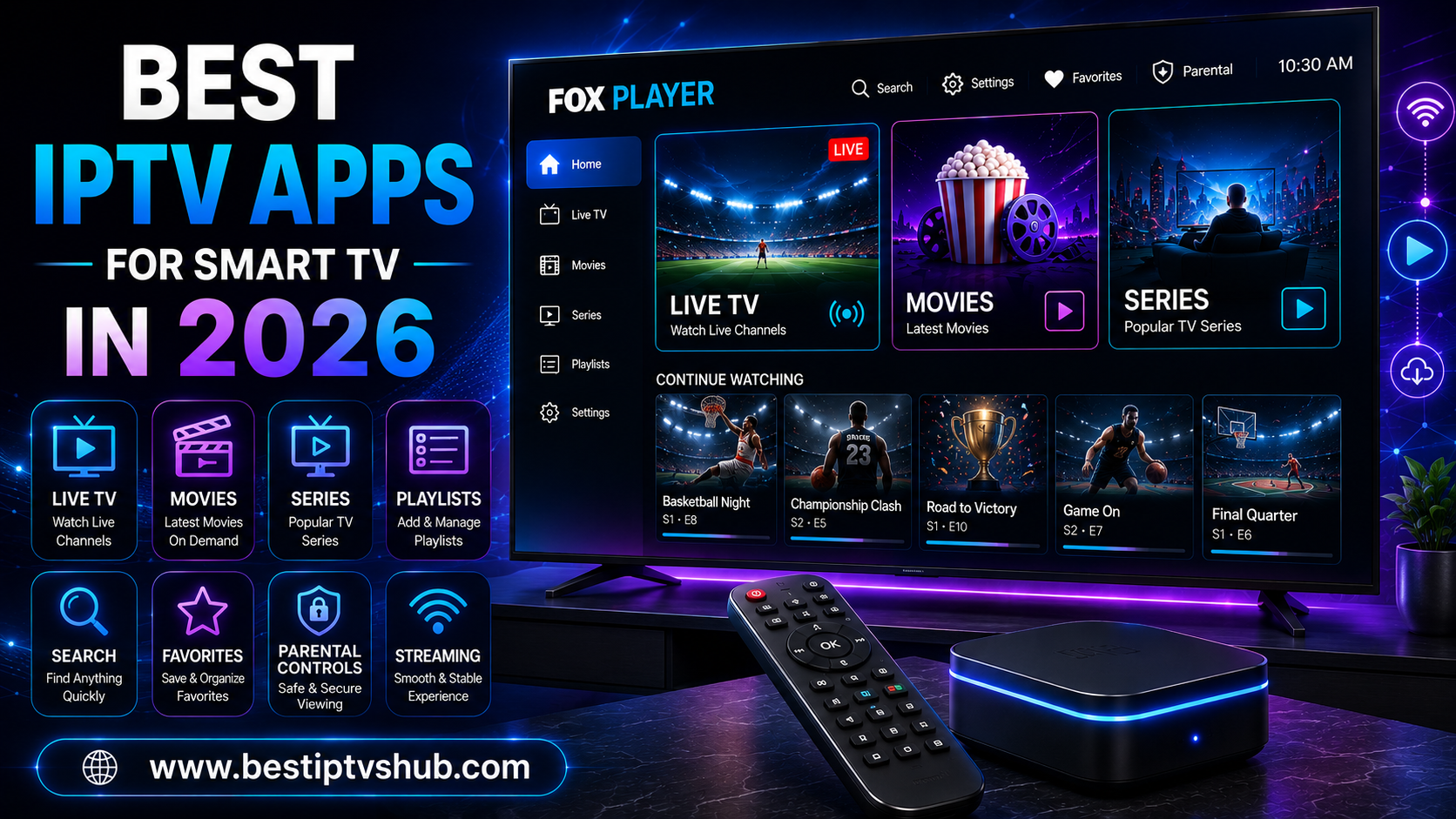
Watching live television through an internet connection has become much easier, but choosing the right IPTV app for your Smart TV can still be confusing. There are dozens of IPTV players available, and they differ significantly in compatibility, interface, EPG support, playlist management, playback features, and ease of use.
Quick Answer: What Are the Best IPTV Apps for Smart TV in 2026?
The best IPTV apps for Smart TV in 2026 depend primarily on your television's operating system. TiviMate is an excellent choice for Android TV and Google TV users, while SmartOne Player is particularly useful for people who want broad Smart TV compatibility, including Samsung and LG models. Smarters Pro offers cross-platform support, while SS IPTV remains an option for compatible Smart TV platforms. OTT Navigator is another strong choice for Android-based devices and users who want extensive customization.
Remember that these applications are generally media players rather than IPTV content providers. You normally need your own playlist, M3U URL, Xtream Codes credentials, or another authorized source to watch content.
Best IPTV Apps for Smart TV at a Glance
| IPTV App | Best For | Main Strength | Compatibility |
|---|
| TiviMate | Android TV users | EPG, customization & multiview | Android TV, Google TV |
| SmartOne Player | Samsung & LG users | Broad Smart TV compatibility | Samsung, LG, VIDAA, Android TV, Fire TV and others |
| Smarters Pro | Multi-device households | Cross-platform support | Android, Smart TVs, Android TV and more |
| SS IPTV | Compatible Smart TVs | Playlist-based viewing | LG and selected Samsung/other TVs |
| OTT Navigator | Advanced Android users | Customization & organization | Android-based devices |
| VLC | Local/network media | Flexible playback | Multiple platforms |
The important point is that there is no single best IPTV app for every television. Your TV operating system should be the first factor you consider.
What Is an IPTV App?
An IPTV app is software that allows a compatible television or streaming device to play television and video streams delivered through the internet. Instead of receiving television through a traditional satellite dish, cable connection, or terrestrial antenna, an IPTV player can process streams supplied through an internet connection. However, there is an important distinction:
IPTV technology is not the same thing as an IPTV subscription: An IPTV player may simply provide the interface and playback functionality. It may not include channels, movies, sports or other media. For example, TiviMate's current Google Play listing explicitly describes it as a media player and says users must provide their own playlists. SmartOne Player similarly states that it does not provide channels, subscriptions or streaming content. This distinction matters when comparing IPTV apps because an attractive interface does not automatically mean that an application provides legal access to television content.
1. TiviMate IPTV Player
Best for: Android TV and Google TV.
TiviMate is one of the strongest choices for viewers using Android TV-based televisions or streaming devices. Its interface is designed specifically around television screens and remote control navigation rather than smartphone touchscreens. The current Google Play listing reports support for M3U, Xtream Codes and Stalker Portal playlist formats. It also includes EPG support, multiple playlists, favorites, catch-up, recording, search, parental controls and multiview.
Why TiviMate stands out
TV-friendly interface
Electronic Program Guide (EPG)
Multiple playlist support
Favorites
Search
Catch-up functionality
Recording capabilities
Parental controls
Multiview
Designed for remote navigation
For sports fans, multiview can be particularly useful when the underlying service supports multiple streams. TiviMate is also a good example of why choosing the player and choosing the IPTV service should be treated as two separate decisions.
Best for: Choose TiviMate if you have an Android TV or Google TV device and want a polished interface with advanced organization and viewing features.
2. SmartOne Player
Best for: Samsung, LG and other Smart TV platforms
SmartOne Player is worth considering if you don't use Android TV. Its official feature information lists compatibility across platforms including Samsung Tizen, LG webOS, VIDAA, Android TV and Fire TV, among others. Its feature set includes favorites, multiple playlists, catch-up, parental controls, customizable themes, category management and advanced playback controls. This broad compatibility makes it particularly interesting for households with different television brands.
Key SmartOne features
Multiple Smart TV platforms
Multiple playlists
Favorites
Catch-up/archive
Parental lock
Custom themes
Category hiding
Multi-language support
Advanced playback controls
EPG support on supported configurations
SmartOne also publishes a compatibility matrix because feature availability can vary depending on the TV model and operating system.
Best for: SmartOne is a practical option when your priority is Smart TV compatibility rather than Android TV alone.
3. Smarters Pro
Best for: Users who want cross-platform flexibility
Smarters Pro is another widely encountered IPTV/media player option. Its current website describes the application as a media player supporting Android, iOS, Smart TVs, Android TV, Windows, macOS and web environments. It supports M3U and JSON playlists and provides features such as favorites, multiple playlists and parental controls.
There is an important caveat: similarly named applications exist across app stores, so users should verify the developer and source before installing an app. Samsung's Smart TV marketplace also lists multiple similarly named Smarters applications, demonstrating why checking the developer information is important.
Useful features
Best for: Smarters Pro can be a good choice if you use IPTV across several types of devices and want a familiar media-player experience.
4. SS IPTV
Best for: Compatible LG and Smart TV environments
SS IPTV has been around for years and takes a different approach from newer Android-focused IPTV players. Its official documentation lists installation options for LG Smart TVs and support for selected Samsung, Philips and Sony Smart TV environments. However, availability and installation methods can vary significantly by television model and operating system.
For example, the official documentation says that SS IPTV can be installed through LG's official app environment, while Samsung availability differs depending on the TV generation.
Advantages
Potential drawback: Compatibility needs to be checked before installation. If your television is several years old, don't assume that an IPTV application available today will support it.
5. OTT Navigator IPTV
Best for: Advanced Android users
OTT Navigator is another option for Android-based devices. Its current Google Play listing describes support for M3U/M3U8 playlists and Xtream Codes, along with Live TV, movies and series organization, favorites, category filters, EPG, search and multiple subtitle/audio options. It is particularly appealing to users who want more control over how their IPTV library is organized.
Notable features
Best for: OTT Navigator is worth considering if you use Android TV or another Android-based streaming environment and prefer customization over simplicity.
6. VLC Media Player
Best for: Flexible media playback
VLC isn't a dedicated Smart TV IPTV application in the same way as TiviMate or SmartOne, but it deserves consideration because it is a versatile media player. VLC can play a wide range of media formats and can also work with network-based playback and casting environments. Its current documentation describes Chromecast, DLNA/UPnP and HDMI methods for getting VLC content onto televisions.
Why consider VLC?
Highly versatile media playback
Excellent format compatibility
Useful for local and network media
Chromecast support
DLNA/UPnP options
Useful across multiple platforms
For a dedicated IPTV interface with an EPG and channel categories, however, a specialized IPTV player may provide a better television experience.
How to Choose the Best IPTV App for Your Smart TV
Before installing an application, follow this checklist.
- Check Your TV Operating System: This should be your first step. Common Smart TV platforms include:
A great IPTV app is useless if your television cannot run it.
- Check Playlist Compatibility: Your IPTV service may provide credentials in different formats. Common options include:
M3U
M3U8
Xtream Codes API
Stalker Portal
XMLTV/EPG information
Make sure the app supports the format you actually have. TiviMate, for example, currently lists M3U, Xtream Codes and Stalker Portal support.
- Look for EPG Support: EPG means Electronic Program Guide. Instead of browsing a simple channel list, an EPG can show:
Current program
Next program
Program schedule
Channel information
Program descriptions
For people watching live sports, news or scheduled programming, a good EPG can make a major difference.
- Consider Search and Favorites: If your playlist contains hundreds or thousands of entries, scrolling through everything becomes frustrating. Look for:
Global search
Favorites
Recently watched
Category filtering
Custom channel groups
These small features can dramatically improve everyday usability.
Why It Matters
The IPTV app you choose becomes the interface between your television, your playlist and your viewing experience. A poorly optimized application can make a good internet connection feel unreliable. For example, two players using the same authorized stream may provide very different experiences because of differences in:
Playback engine
Buffer management
EPG implementation
Interface design
Device optimization
Playlist organization
Hardware acceleration
This is why simply asking for the "best IPTV subscription" isn't enough. The device, app, network and content source all work together.
IPTV App vs IPTV Service: What's the Difference?
This is one of the most important things beginners need to understand.
- IPTV App: The application provides the player/interface. Examples include:
TiviMate
SmartOne Player
Smarters Pro
OTT Navigator
SS IPTV
- IPTV Service: The service or content provider supplies the streams or authorized content. You may receive:
Playlist URL
Username
Password
Server URL
EPG URL
The app uses those details to organize and play the available content. An IPTV player should not be confused with a content provider. TiviMate and SmartOne explicitly state that they do not provide channels or subscriptions themselves. Always use services and content that you are legally authorized to access.
Common Mistakes to Avoid
- Installing the First App You Find: There are many similarly named IPTV applications. Don't install an app simply because its name contains "IPTV" or "Smarters." Check:
Developer name
Official website
App-store listing
Update history
Permissions
Privacy information
User reviews
- Ignoring TV Compatibility: A player designed for Android TV may not work on Samsung Tizen or LG webOS. Always identify your TV model and operating system first.
- Assuming the App Provides Channels: Most dedicated IPTV players are just players. Installing TiviMate, SmartOne or another player does not automatically give you television channels.
- Blaming the App for Every Buffering Problem: Changing applications may help, but it isn't always the solution. Buffering can have many causes:
- Using Unverified APK Files: Avoid downloading applications from random APK websites when an official app-store option exists. Unofficial downloads can introduce unnecessary security and privacy risks.
Best Practices for IPTV on Smart TV
For the smoothest experience, follow these practices.
- Use Ethernet When Possible: A wired connection can provide more consistent connectivity than congested Wi-Fi.
- Keep Your TV Updated: Install available firmware and application updates.
- Keep Your IPTV App Updated: Developers regularly release compatibility and performance improvements.
- Use the Correct EPG: If your TV guide is blank or inaccurate, verify that your EPG source matches the playlist.
- Don't Overload Your Device: Older Smart TVs may have limited memory and processing power. A dedicated modern streaming device can sometimes provide a better experience.
- Test Before Making Major Changes: Identify whether the problem is the service, network, device or application. If a stream works on one device but not another, compare:
Same network
Same playlist
Same stream
Different player
Best IPTV App by User Type
- Best for Android TV: TiviMate. Its TV-focused interface, EPG, playlist management and advanced features make it one of the strongest choices for Android TV users.
- Best for Samsung and LG Smart TVs: SmartOne Player. Its broad platform support makes it attractive for users who don't want to rely on an external Android TV device.
- Best for Cross-Platform Users: Smarters Pro. Its current platform information covers Android, iOS, Smart TVs, Android TV and other environments.
- Best for Advanced Android Users: OTT Navigator. Its filtering, EPG, favorites, playback and organization features make it suitable for users who like greater control.
- Best for General Media Playback: VLC. VLC is particularly useful when your priority is flexible media playback rather than a dedicated IPTV interface.
How Best IPTVs HUB Fits Into the IPTV Ecosystem
For readers researching IPTV applications, Best IPTVs HUB can be useful as a resource for IPTV-related guides, app information and streaming setup topics. However, users should always distinguish between an IPTV player and an IPTV service. Before using any IPTV source, verify that you have the necessary rights or authorization to access the content. A player application itself does not make an otherwise unauthorized stream legitimate.
For website owners publishing IPTV-related information, this distinction is also important. Clear explanations, accurate compatibility information and responsible content can build considerably more trust than simply publishing lists of apps or exaggerated claims.
For Small Businesses and Website Owners
If you're a small business, startup or local business publishing technology or entertainment content, IPTV-related searches can be valuable because users often need practical help rather than generic product descriptions. A useful article should answer questions such as:
Does the app work on my TV?
Does it support M3U?
Does it support Xtream Codes?
Is EPG available?
Can I use multiple playlists?
Does it support parental controls?
Is the application regularly updated?
Does the app provide content or only play my own source?
This approach is also useful for SEO. Instead of repeatedly targeting a keyword such as "best IPTV apps," create supporting content around genuine user problems:
Best IPTV app for Samsung TV
Best IPTV app for LG Smart TV
Best IPTV player for Android TV
How to add an M3U playlist
IPTV EPG not working
How to fix IPTV buffering
IPTV app compatibility guide
IPTV player vs IPTV provider
That creates a stronger topical structure and gives search engines more useful context.
Frequently Asked Questions
1. What is the best IPTV app for Smart TV in 2026?
There isn't one universal winner because Smart TVs use different operating systems. TiviMate is a strong choice for Android TV and Google TV, while SmartOne Player is attractive for users with Samsung, LG and other supported Smart TV platforms. Smarters Pro and OTT Navigator are additional options depending on your device and preferred features. The best choice is ultimately the app that supports your TV operating system, playlist format and required features.
2. Do IPTV apps come with channels?
Generally, no. Many IPTV player applications are designed only to play content supplied by the user or an authorized service. For example, TiviMate says that it does not provide channels or subscriptions, while SmartOne similarly states that it does not offer channels, subscriptions or streaming content. You therefore need an authorized content source compatible with the player.
3. What is the best IPTV app for Samsung Smart TV?
SmartOne Player is one option worth considering because its official compatibility information includes Samsung Tizen televisions. Smarters-branded applications are also available through Samsung's app ecosystem, but users should verify the exact developer because multiple similarly named applications exist. Always check compatibility with your exact Samsung TV model.
4. What is the best IPTV app for LG Smart TV?
SmartOne Player supports LG webOS according to its current platform information. SS IPTV is another Smart TV-focused option with official documentation covering LG Smart TVs. Availability can vary by country, TV model and operating-system version, so check the TV's official app store before installing.
5. Is TiviMate available on every Smart TV?
No. TiviMate is designed primarily for Android TV environments and remote-control navigation. Its current Google Play listing specifically says it is designed for Android TV rather than touch-oriented phones or tablets. If you have a Samsung Tizen or LG webOS television without Android TV, you should consider a compatible Smart TV application instead.
6. Which IPTV app has the best EPG?
TiviMate is particularly strong for users who prioritize an EPG-style television guide. Its current feature list includes a TV guide, while SmartOne and other IPTV players also provide EPG functionality depending on the device and playlist. The quality of your EPG also depends on whether your playlist or service supplies accurate guide data.
7. Can I use the same IPTV playlist with different apps?
Often, yes, provided the apps support the same playlist or authentication format and the service permits the relevant use. For example, an M3U playlist may be supported by multiple players. However, features such as EPG, catch-up, recording and multiview can behave differently between applications. If one app doesn't work correctly, testing the same authorized playlist in another compatible player can help determine whether the issue is with the application or the source.
Conclusion
Choosing the best IPTV app for Smart TV in 2026 is less about finding a universally perfect application and more about matching the player to your television, streaming device and viewing requirements. For Android TV and Google TV, TiviMate is a strong all-around choice. SmartOne Player stands out for broader Smart TV compatibility, particularly across Samsung and LG environments. Smarters Pro is useful for users who want cross-platform flexibility, while OTT Navigator offers extensive organization and customization for Android users. SS IPTV remains relevant for compatible Smart TV environments, and VLC is a versatile option for general media playback. Most importantly, remember the difference between an IPTV player and an IPTV service. The player provides the interface; your content source must be separately available and legally authorized. Before installing anything, check compatibility, playlist support, EPG functionality, developer information, privacy details and update history. A few minutes of research can prevent hours of troubleshooting later.
Call to Action
Want to learn more about IPTV players, Smart TV setup, Fire TV, Android TV, streaming devices and online television technology?
Visit us for practical IPTV guides, streaming tutorials, device comparisons and troubleshooting resources. Find the right and best server like FOX player, IB player, IBO TV and many more.