Introduction
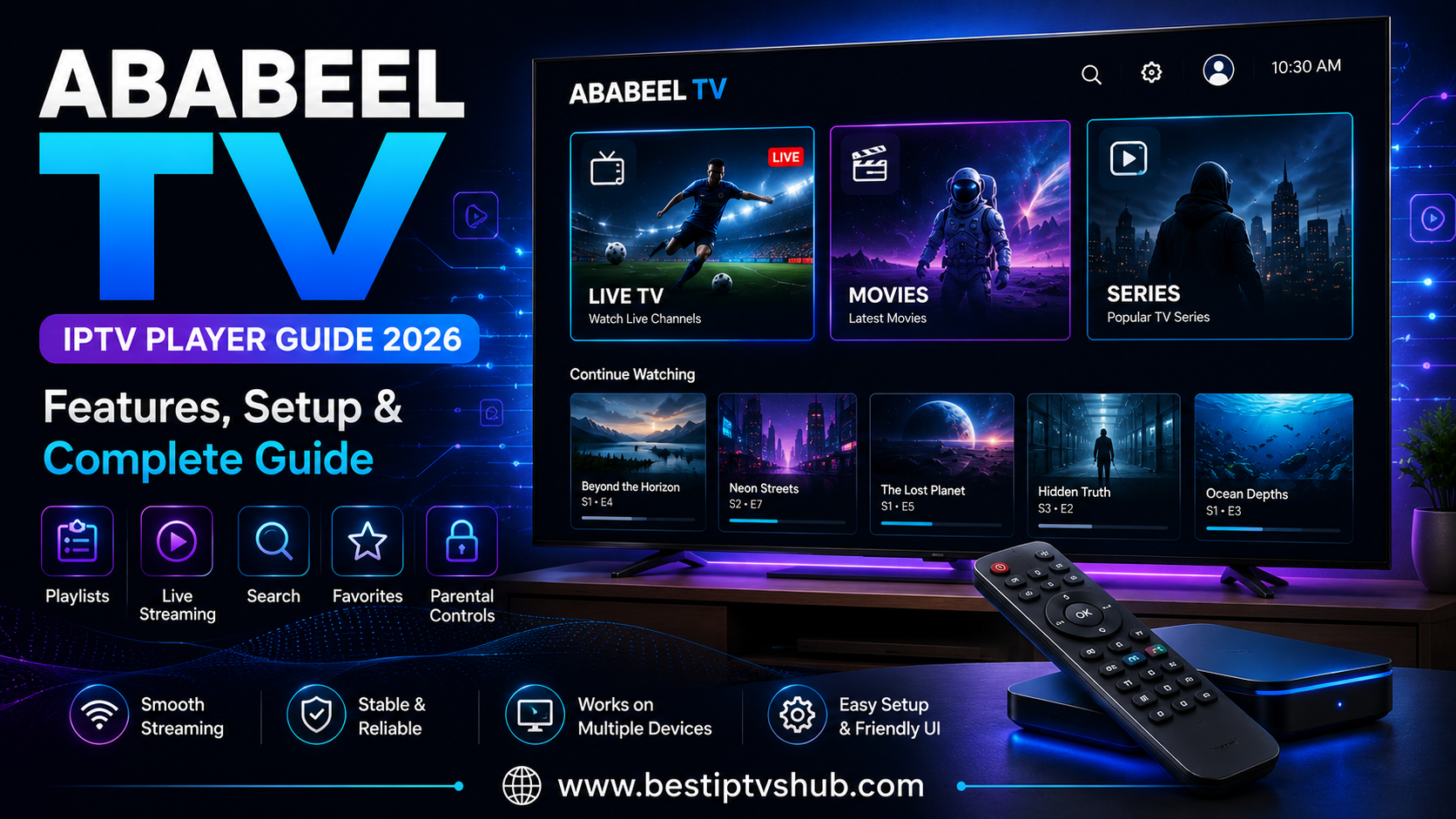
Streaming television has changed dramatically. Instead of depending entirely on traditional cable or satellite television, viewers can now use internet-connected devices and media players to organize and watch their own digital content. Ababeel TV is one of the names users may encounter when searching for an IPTV or streaming player. However, understanding exactly what Ababeel TV does is important before installing or subscribing to anything.
The current Ababeel TV Pro listing on Google Play describes it as a dedicated media player designed for streaming users' own content. It explicitly states that the application does not provide content and that users must add or upload their own media. The listing was updated on June 10, 2026. That distinction matters because an IPTV player is not necessarily the same thing as an IPTV provider.
In this guide, we explain what Ababeel TV is, how it works, what users should look for, how to approach installation safely, common problems, and the best practices for using an IPTV-style media player.
Quick Answer: What Is Ababeel TV?
Ababeel TV is a media-player application designed to play content supplied by the user or an external content source. The current Ababeel TV Pro Google Play listing describes it as a player for users' own content rather than a service that supplies television channels, movies, or series. This means the app and the content source should be considered separately. The player provides the interface. The content source provides the media. Depending on the version and compatible source, users may use a media player to organize or play live streams, video files, or other supported content. Before using any IPTV playlist or streaming source, make sure you have the legal right to access and stream that content.
Ababeel TV at a Glance
| Feature | Details |
|---|
| App Type | Media / IPTV-style player |
| Current Google Play Listing | Ababeel TV Pro |
| Developer Shown | Tornado PRO |
| Platform | Android |
| Content | User-supplied content |
| Built-in Channels | Not provided by the player |
| Primary Purpose | Playing users' own media |
| Content Source | User-provided or authorized source |
| Best For | Users who need a media-player interface |
| Safety Consideration | Use official sources and authorized content |
The current Google Play listing shows 1K+ downloads, an Everyone content rating, and states that no data is shared with third parties and no data is collected according to the developer's data-safety declaration. These declarations are provided by the developer and can change over time.
What Is Ababeel TV?
The term Ababeel TV can be confusing because multiple applications and IPTV-related services have appeared online under similar names. One current listing is Ababeel TV Pro, which describes itself as a dedicated media player for streaming users' own content. There was also an older Ababeel TV application associated with Stor2. Third-party app tracking information indicates that version 4.3 was available on Google Play before being removed on May 28, 2026. That older listing described the application as a media player that did not provide content itself. This is important for anyone searching for:
Ababeel TV APK
Ababeel TV IPTV
Ababeel TV Pro
Ababeel TV Android
Ababeel TV player
Ababeel TV setup
The exact application matters. Before installing an app, verify:
The application name.
The developer.
The package/application identity.
The installation source.
The current version.
The permissions requested.
Whether the app is still officially available.
How Ababeel TV Works
The simplest way to understand Ababeel TV is to separate the system into two parts.
Part 1: The Player: The application acts as the interface used to access compatible media. It may provide features such as:
Media navigation
Playback
Content organization
Device compatibility
User interface controls
Part 2: The Content Source: The content comes from somewhere else.
Depending on the application and setup, that could be:
Personal media files
A legally authorized IPTV playlist
A compatible streaming source
User-owned digital content
Another authorized media service
This distinction is fundamental. The player does not automatically create or provide television channels. The current Google Play listing specifically says that Ababeel TV Pro does not provide content and that users need to add their own media.
Ababeel TV Features
1. Media Playback
The core purpose of a player such as Ababeel TV is media playback. Rather than relying on a television's built-in media functionality, a dedicated application can provide a centralized interface for compatible content. The exact playback formats supported can vary by version, device, and content source. Users should therefore avoid assuming that every video format or streaming protocol will work automatically.
2. User-Supplied Content
One of the most important characteristics of the current Ababeel TV Pro listing is that it is designed around user-supplied content. The application description explicitly says users must upload or add their own media to use the player. This makes it different from a conventional subscription streaming service where the application and content library are supplied together.For example:
Traditional streaming platform: Install app → sign in → browse platform library.
Media player: Install player → add authorized media source → browse and play content.
Understanding this difference prevents a lot of confusion.
Ababeel TV and IPTV
The term IPTV means Internet Protocol Television. It describes the delivery of television or video content over internet networks rather than traditional broadcast methods. An IPTV setup can involve several components: Content source → Internet → IPTV/media player → Streaming device → Television
The player is only one part of that chain. A player can provide an interface for accessing compatible streams, but the player itself does not determine whether a particular stream is authorized. That depends on the content provider and the rights associated with the content.
Is Ababeel TV an IPTV Provider?
This is one of the most important questions. The current Ababeel TV Pro Google Play listing describes it as a media player, not as a provider of television channels. Therefore, users should not assume that installing the application automatically gives them access to:
Live TV channels
Premium sports
Movies
TV series
International channels
If someone sells an "Ababeel TV subscription," users should investigate exactly what is being sold. Ask:
Who operates the service?
What content rights does it have?
What channels are included?
What country is the service licensed for?
What are the terms of use?
What happens if a channel disappears?
Is customer support available?
A large channel count alone does not establish that a service is legitimate or reliable.
How to Set Up Ababeel TV
The exact installation and setup process depends on the specific Ababeel TV version and Android device. For the current Google Play version, the safest approach is to start with the official listing rather than downloading an unknown APK.
Step 1: Check Your Android Device
Before installing, check:
Android version
Available storage
Internet connection
Screen compatibility
Device performance
A modern Android TV or Android device generally provides a better experience than very old hardware.
Step 2: Install From an Official Source
Whenever an official Google Play listing is available, use it. This reduces the risk associated with modified APK files. Avoid websites that:
Force unnecessary downloads
Ask you to disable security features
Offer "cracked" versions
Promise premium content for free
Request excessive permissions
Step 3: Open the Application
Launch Ababeel TV after installation. Review the available menus and settings. Because the current application is described as a player for user-supplied content, you should expect to provide your own compatible media rather than expecting a built-in television catalog.
Step 4: Add Authorized Content
If your particular version supports a playlist or external streaming source, use information supplied by a legitimate content provider. Never use a playlist simply because it is available online. Before adding it, confirm that you are authorized to access the content.
Step 5: Test Playback
Start with a single piece of content. Check:
Video quality
Audio synchronization
Buffering
Playback stability
Navigation
Device temperature
Network performance
If one stream fails, try another authorized source to determine whether the issue is with the source or your device.
Can Ababeel TV Work on Android TV?
The current Google Play listing identifies Ababeel TV Pro as an Android entertainment application. However, Android compatibility should not automatically be interpreted as guaranteed compatibility with every Android TV or Google TV device. Before installing on a television, check:
Whether the application appears in your device's app store.
Whether the current version supports your device.
Whether remote navigation works properly.
Whether the application is optimized for large screens.
A phone-oriented Android app may technically install on some TV hardware but still provide a poor user experience.
Ababeel TV on Smart TVs
Smart TV compatibility depends heavily on the operating system. Common Smart TV platforms include:
Android TV
Google TV
Samsung Tizen
LG webOS
Fire TV
An Android application is not automatically compatible with Samsung Tizen or LG webOS. If Ababeel TV is unavailable in your television's official app store, do not assume that installing an unofficial version is the best solution. Instead, investigate whether the developer officially supports your device or whether an approved external Android/Google TV device is supported.
Internet Requirements for IPTV Streaming
Your internet connection can significantly affect streaming quality. However, there is no single internet-speed number that guarantees perfect IPTV playback. Performance depends on:
For example, a high-quality video stream may require substantially more bandwidth than a low-resolution stream. A useful troubleshooting process is:
Test your internet connection.
Move closer to the router.
Restart the router.
Stop large downloads.
Test another authorized stream.
Try Ethernet if available.
Check whether other applications also buffer.
Why It Matters
Understanding Ababeel TV matters because the IPTV market contains a large number of similarly named applications, players, subscriptions, and APK files. A user searching for Ababeel TV IPTV could easily download the wrong application or assume that an IPTV player includes channels when it does not. A better approach is to evaluate four separate things:
1. The Application: Is the player legitimate and compatible?
2. The Content Source: Where does the media come from?
3. The Device: Can your Smart TV, Android TV box, phone, or streaming device run the application properly?
4. The Network: Is your internet connection stable enough for the selected stream?
When these four components work together, troubleshooting becomes much easier. At Best IPTVs HUB, this distinction can help readers make better decisions about IPTV applications, media players, streaming devices, playlists, and setup methods.
Common Mistakes to Avoid
1. Assuming Ababeel TV Includes Channels: The current Google Play listing specifically says Ababeel TV Pro does not provide content. Do not assume installation equals access to television channels.
2. Downloading Random APK Files: Searching for "Ababeel TV latest APK" may produce many third-party results. Not every APK is genuine. Potential risks include:
Malware
Modified applications
Credential theft
Unwanted advertising
Outdated software
Privacy problems
Whenever possible, use an official application store or developer-provided source.
3. Buying a Subscription Without Checking What You Receive: Some websites use the Ababeel TV name to market IPTV subscriptions. That does not necessarily mean they are operated by the application developer. Before purchasing anything, determine:
Who is selling it?
What exactly is included?
Where is the service available?
Is the content legally authorized?
What are the refund terms?
What support is provided?
4. Believing That More Channels Means Better IPTV: A huge channel number can sound impressive. But users should also consider:
Stability
Picture quality
Channel relevance
Reliability
Support
Legal authorization
A smaller selection of reliable content can be more useful than thousands of channels you never watch.
5. Ignoring Device Compatibility: Before installation, verify whether your exact device is supported. This is particularly important with:
Older Android TV boxes
Generic Android boxes
Smart TVs
TV sticks
Custom Android firmware
Best Practices for Using Ababeel TV
- Use Official Sources: Start with Google Play or another official source wherever available. The current Ababeel TV Pro listing is available on Google Play and identifies the developer as Tornado PRO.
- Keep Android Updated: Keep your Android device and supported applications reasonably up to date. Regular updates can improve:
Security
Compatibility
Performance
Stability
- Use Authorized Content: Only access streams and media you are legally entitled to use. This is especially important for premium television channels, sports events, movies, and copyrighted programs.
- Protect Your Credentials: If a legitimate content provider gives you login details, treat them as confidential. Do not post credentials publicly or send them to unknown individuals.
- Optimize Your Network: For the most stable experience:
Prefer Ethernet for fixed TV devices when practical.
Use a strong Wi-Fi signal.
Avoid unnecessary network congestion.
Restart networking equipment when troubleshooting.
Keep your router firmware updated.
Ababeel TV vs Traditional Streaming Services
It is useful to understand how a media player differs from a conventional streaming service.
| Feature | Media Player | Traditional Streaming Service |
|---|
| Player application | Yes | Yes |
| Own content library | Usually no | Usually yes |
| User-supplied content | Often | Usually no |
| Subscription required | Depends on source | Usually |
| Content rights | Depends on source | Managed by service |
| Playlist flexibility | Often higher | Usually limited |
| Setup complexity | Can be higher | Usually simpler |
A traditional streaming service is generally easier for beginners because the application and content library are integrated. A media player can be more flexible for users who already have authorized media sources.
Who Should Consider Ababeel TV?
Ababeel TV may be relevant to users who:
Want a dedicated media-player application.
Already have their own compatible content.
Use Android devices.
Want to organize digital media.
Understand the difference between a player and a content provider.
Prefer a flexible media playback environment.
It may be less suitable for someone who simply wants to install an app and immediately receive a complete television channel package. For that type of user, a conventional licensed streaming service may be simpler.
How Best IPTVs HUB Can Help
The IPTV ecosystem can be confusing, particularly when applications have similar names and different versions. Best IPTVs HUB can provide educational guides covering:
For readers, the most valuable information is not simply a list of channels or a download link. It is understanding how the technology works and how to choose a safe, compatible and legitimate setup.
Frequently Asked Questions
1. What is Ababeel TV?
Ababeel TV is a name associated with IPTV/media-player applications. The current Ababeel TV Pro listing on Google Play describes it as a dedicated media player for streaming users' own content and explicitly states that the application itself does not provide content.
2. Does Ababeel TV provide IPTV channels?
The current Ababeel TV Pro Google Play listing says that it does not provide content. Users need to add or upload their own media. Therefore, users should not assume that installing the application automatically provides live TV channels or premium content.
3. Is Ababeel TV available on Google Play?
A current listing for Ababeel TV Pro is available on Google Play and was updated on June 10, 2026. There was also an older Ababeel TV application that third-party tracking indicates was removed from Google Play in May 2026. Users should verify the exact application and developer before installing.
4. Can I use Ababeel TV with my IPTV subscription?
That depends on the specific version of the application and the format supported by your authorized IPTV/content provider. Do not assume that every IPTV subscription works with every player. Check whether the source and application support compatible formats or connection methods.
5. Is Ababeel TV safe?
Safety depends on which application you install and where you obtain it. The current Google Play listing for Ababeel TV Pro provides developer-declared data-safety information stating that no data is shared with third parties and no data is collected. Such declarations are supplied by the developer and may change. For the safest installation, use official app stores and avoid modified APK files from unknown websites.
6. Why is Ababeel TV not working?
There can be several reasons. Possible causes include:
Unsupported device
Incorrect media source
Network problems
Server problems
Outdated application
Invalid credentials
Unsupported media format
Start by checking your internet connection and testing another authorized media source. If only one source fails, the problem may be with that source rather than the application.
7. Can I install Ababeel TV on a Smart TV?
It depends on the television's operating system and the specific application version. Android TV and Google TV provide an Android-based environment, while Samsung and LG use different platforms. Always check official compatibility information before installing an APK or using third-party installation methods.
Conclusion
Ababeel TV is a name that can refer to different applications or IPTV-related services, so users should verify exactly which version they are dealing with. The current Ababeel TV Pro listing on Google Play describes the application as a dedicated media player for users' own content and explicitly states that it does not provide content itself. That makes the distinction between an IPTV player and IPTV provider especially important. Before using Ababeel TV:
Verify the application and developer.
Use official installation sources where available.
Check device compatibility.
Understand where your content comes from.
Use only content you are legally authorized to access.
Keep your device and application updated.
Protect account credentials.
Troubleshoot network and source issues separately.
The best IPTV experience is not necessarily the one with the biggest channel number. It is the setup that combines compatible software, reliable hardware, a stable network and legitimate content.
Call to Action
Looking for more IPTV player guides, streaming tutorials, app comparisons and device setup information?
Visit Best IPTVs HUB for practical guides covering IPTV applications, Android TV, Fire TV, Smart TVs, streaming devices and IPTV troubleshooting.
Explore more IPTV guides at BestIPTVsHub and make your streaming setup more informed, secure and easier to manage. Find the right and best server like FOX player, IB player, IBO TV and many more.