Introduction
Indian television is no longer limited to a cable connection or a traditional set-top box. Viewers can now watch reality shows, Hindi entertainment, regional channels, movies, news, sports and on-demand programs across Smart TVs, streaming devices, smartphones and computers. For viewers searching for the best IPTV for Bigg Boss 20 and Indian TV channels, however, there is an important distinction to understand: IPTV is a method of delivering television over an internet connection; it is not automatically a television provider or a license to access every channel advertised online.
Direct Answer: What Is the Best IPTV for Bigg Boss 20?
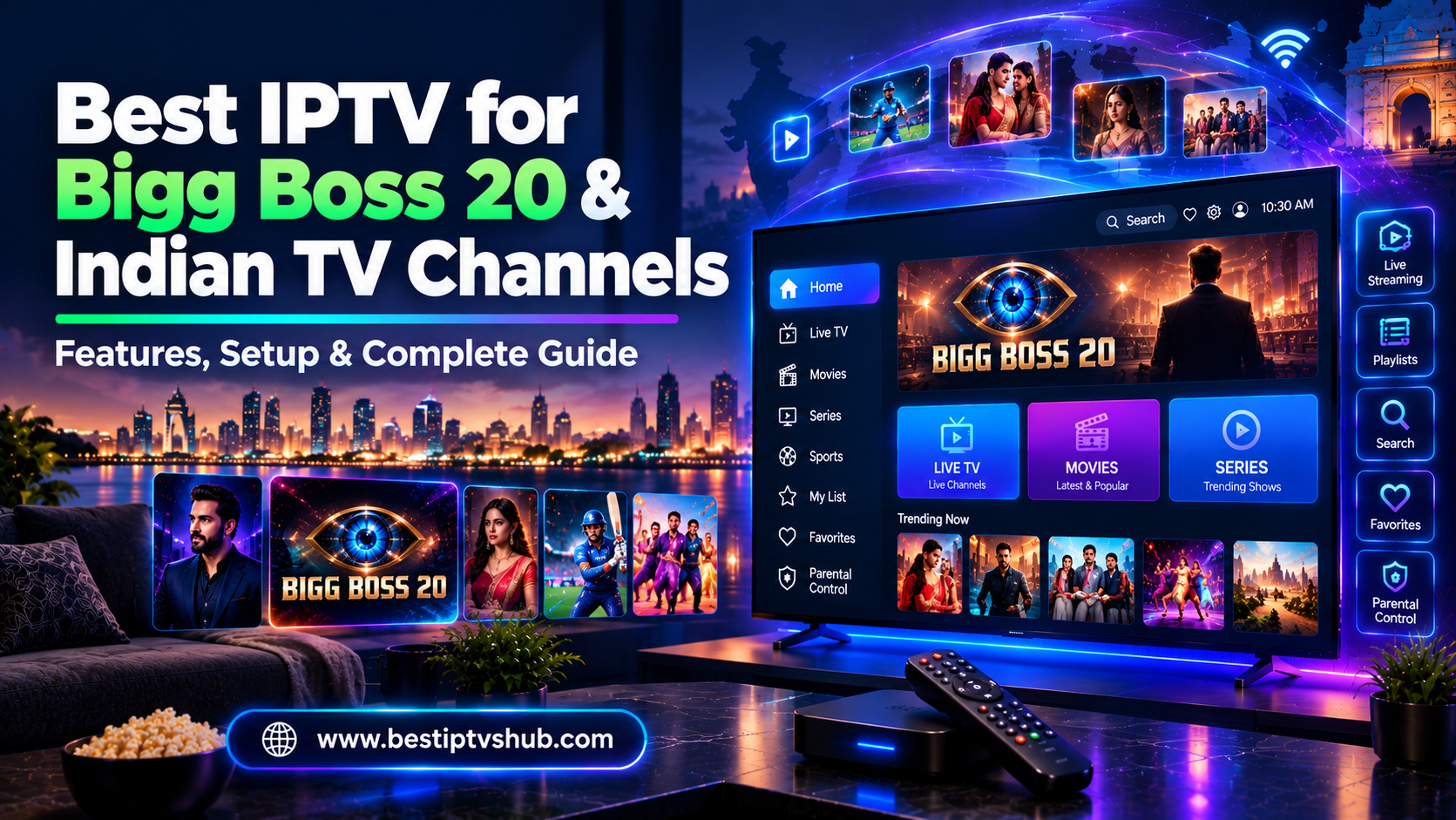
For Bigg Boss Hindi Season 20, the official JioStar announcement says the season premiered on September 6, 2026, with episodes available on JioHotstar at 9 PM and on COLORS TV at 10:30 PM. JioStar describes JioHotstar as a major streaming service carrying programming from the JioStar network, including TV shows, live sports, live events and entertainment. Therefore, viewers looking for Bigg Boss 20 should start with the authorized broadcaster or streaming platform, rather than choosing an IPTV subscription solely because it advertises Bigg Boss or a huge number of Indian channels. For broader Indian television, the right setup depends on whether you want Hindi entertainment, regional channels, movies, news, sports, kids' programming, live TV or on-demand content.
Why Bigg Boss 20 Is Driving Streaming Interest
Bigg Boss remains one of India's most recognizable reality-TV franchises, and Season 20 is particularly relevant to streaming because it is being distributed through both television and JioHotstar. According to JioStar, Bigg Boss Hindi Season 20 premiered on September 6, 2026, on JioHotstar and COLORS, with the company announcing JioHotstar viewing at 9 PM and COLORS television viewing at 10:30 PM. JioStar also announced that six Bigg Boss editions are launching during the 2026 festive season:
Hindi
Tamil
Telugu
Kannada
Malayalam
Bangla
The company said the franchise reached 500 million+ people and generated 438 billion+ viewing minutes across languages in 2025. These figures are JioStar's reported franchise metrics, rather than independent audience measurements. This expansion illustrates why Indian television searches increasingly overlap with streaming searches. A viewer may want: Bigg Boss + Hindi TV + movies + regional channels + live sports + entertainment. A traditional television package may handle some of these requirements, while a combination of authorized streaming platforms and TV services may handle others.
What Is IPTV?
IPTV stands for Internet Protocol Television. Instead of delivering television through only traditional broadcast or cable infrastructure, IPTV delivers video through IP-based networks. The technology can support:
However, the word IPTV does not tell you whether a particular provider has the rights to distribute the channels or programs it advertises. That distinction is extremely important.
IPTV Service vs IPTV Player vs Streaming Platform
These terms are frequently mixed together.
IPTV Service: An IPTV service can provide authorized television programming through an internet-based delivery system. Depending on the service, it may offer:
Live channels
Movies
Series
News
Sports
Regional television
Catch-up programming
IPTV Player: An IPTV player is an application used to play compatible video streams or playlists. The player itself may not own any channels. Think of it this way:
- IPTV player = software
- Content provider = source of the programming
Streaming Platform: A streaming platform provides content through its own application or website. JioHotstar, for example, describes its service as carrying movies, originals, live sports, live events, anime, children's entertainment and TV shows from the JioStar network. JioStar says its network programming spans more than 100 channels. This makes a streaming platform different from simply downloading an IPTV player.
Best IPTV for Bigg Boss 20: What Should You Look For?
If Bigg Boss 20 is your primary reason for choosing a service, start with the actual broadcaster. Then evaluate the technology around it.
| Requirement | What to Check |
|---|
| Bigg Boss 20 | Authorized JioHotstar/COLORS availability |
| Live viewing | Reliable live stream |
| Indian channels | Required channels available |
| Hindi entertainment | Reality shows, dramas, movies |
| Regional TV | Tamil, Telugu, Kannada, Malayalam, Bangla, etc. |
| Device support | Smart TV, Android TV, Google TV, mobile, web |
| Picture quality | HD/FHD/4K where officially supported |
| Catch-up | Whether available |
| Multiple devices | Simultaneous viewing rules |
| Search | Easy program discovery |
| Parental controls | Useful for family viewing |
| Customer support | Official support channel |
| Security | Legitimate account and payment process |
A service with fewer channels but reliable access to the programs you actually watch can be more useful than a service advertising thousands of channels without clear information about their source.
Indian TV Channels You May Want
The phrase Indian TV channels covers a huge range of programming. Before choosing an IPTV or streaming setup, identify which categories matter to you.
- Hindi Entertainment: You may be interested in:
- Hindi Movies: Movie-focused viewers may look for:
- Indian News: News viewers may prioritize:
Hindi news
English news
Business news
Regional news
Live news channels
- Regional Indian Channels: Regional television is increasingly important. Depending on the audience, useful categories can include:
Tamil TV
Telugu TV
Kannada TV
Malayalam TV
Bengali TV
Marathi TV
Punjabi TV
Gujarati TV
Availability depends on the service and territory, so verify the current channel list instead of relying on an old IPTV channel list.
Bigg Boss 20 and Regional Bigg Boss Editions
One of the interesting developments in 2026 is that Bigg Boss is no longer simply a Hindi television story. JioStar announced six editions launching during the festive season: Hindi → Tamil → Telugu → Kannada → Malayalam → Bangla. The company says these editions will be distributed through the JioStar television network and JioHotstar. This creates an opportunity for viewers searching for more specific queries, such as:
For SEO publishers and entertainment websites, these are separate search intents and should not simply be combined into one generic page.
JioHotstar for Indian TV and Bigg Boss
For Bigg Boss Hindi Season 20, JioHotstar is especially relevant because JioStar has officially confirmed the show's availability there. JioStar says JioHotstar has:
500 million+ monthly average users
More than 300,000 hours of programming
Content in 19 languages
Movies
Originals
Live sports
Live events
Anime
Kids' entertainment
TV programming from the JioStar network
These figures are JioStar's own current corporate descriptions and should be understood as company-reported figures. For someone who primarily wants Bigg Boss 20, using the authorized streaming platform is more straightforward than buying an unrelated IPTV subscription and hoping the program is included.
Why Streaming Is Becoming Important in India
India's digital audience is enormous. DataReportal's Digital 2026: India report estimates that India had approximately 1.03 billion internet users at the end of 2025, representing around 70% internet penetration. The report notes that its 2026 publication was produced at the end of 2025 and that many underlying data points are from October 2025. DataReportal also reports:
1.06 billion cellular mobile connections
500 million social media user identities
131.77 Mbps median mobile download speed
59.07 Mbps median fixed download speed
The speed figures are based on Ookla data available around the end of 2025. These figures help explain why internet-delivered entertainment has become such an important part of India's television ecosystem.
How to Choose the Best IPTV for Indian TV Channels
Don't begin with the question: "Which IPTV has the most channels?"
Start with: "Which Indian channels and programs do I actually need?"
Then follow these steps.
- Step 1: Make a Channel List: For example:
COLORS
Star Plus
Star Bharat
Hindi movie channels
- Regional: One or more Tamil/Telugu/Kannada/Malayalam/Bengali channels
- Other:
- Step 2: Check Current Availability: Channel rights change. A channel appearing on an IPTV website today does not automatically mean the provider has permanent authorization to distribute it. Check the official broadcaster or platform whenever possible.
- Step 3: Check Your Device: Make sure the service supports:
Samsung Smart TV
LG Smart TV
Android TV
Google TV
Streaming boxes
iPhone/iPad
Android phones
Web browsers
- Step 4: Check Simultaneous Viewing: A family may want to watch:
Bigg Boss in the living room
Cricket on another television
A regional program on a phone
Check the service's rules before assuming multiple streams are permitted.
IPTV Setup for Bigg Boss 20 on Smart TV
If you're using an authorized streaming service, setup is generally simple.
- Step 1: Connect Your TV: Connect your Smart TV to Wi-Fi or Ethernet. For a stationary television, Ethernet can provide a more consistent connection where practical.
- Step 2: Open the Official App Store: Search for the official application provided by your streaming service.
- Step 3: Install the Application: Download the official app rather than an unknown APK from an unverified website.
- Step 4: Sign In: Use your authorized account.
- Step 5: Find Bigg Boss: Search for: Bigg Boss or navigate through the entertainment/reality-TV section.
- Step 6: Configure Your Experience: Where supported, configure:
Picture quality
Audio
Subtitles
Favorites
Parental controls
Notifications
Android TV and Google TV Setup
Android TV and Google TV can be particularly useful for households that use several streaming platforms. A typical setup looks like: Internet → Android/Google TV device → Official streaming apps → Television. Before installing an application, verify:
Don't assume that an app recommended by an IPTV seller is official.
How Much Internet Speed Do You Need?
There isn't one universal speed requirement for IPTV or streaming. The actual experience depends on:
As a general principle:
- HD: A stable broadband connection is normally sufficient for a single HD stream.
- Full HD: More sustained bandwidth is useful, especially when multiple devices are active.
- 4K: 4K streaming requires considerably more bandwidth and compatible hardware.
More speed is helpful, but stability is often just as important as the headline Mbps number.
How to Fix Buffering During Bigg Boss
Buffering during a live reality show can be frustrating, especially when the broadcast is happening in real time. Try these steps:
Restart the router.
Restart the TV or streaming device.
Test the connection using Ethernet.
Move closer to the Wi-Fi router.
Pause downloads on other devices.
Update the application.
Restart the streaming app.
Check whether other streaming services work normally.
Check the provider's official service status.
A Simple Diagnosis: If YouTube and another authorized streaming platform work smoothly but one particular service repeatedly buffers, the issue may not be your internet connection alone. It could involve:
Watching Indian TV Outside India
Indian television has a substantial international audience. If you are watching from:
UAE
Saudi Arabia
Bahrain
Qatar
United Kingdom
Canada
United States
Singapore
you should verify the service's availability in your country. Rights are often territory-specific. A channel or show available in India may have a different distributor elsewhere. JioStar has also expanded JioHotstar internationally, demonstrating that availability can vary by market. Its international launch in 2026 included the UK, Canada and Singapore. The correct approach is to check the official platform for your location rather than assuming an Indian subscription works everywhere.
Why It Matters
Choosing the correct viewing setup matters because live television and on-demand streaming have different requirements. For Bigg Boss 20, viewers may care about:
Live access
Episode timing
Reliable playback
Search
Smart TV support
Mobile viewing
Account security
For Indian television more broadly, they may also need:
Hindi entertainment
Regional channels
Movies
Sports
News
Kids' content
Multiple devices
A good setup should match these requirements instead of forcing viewers to pay for features they never use.
Common Mistakes to Avoid
- Choosing Based on "10,000+ Channels": Channel quantity is a poor standalone quality indicator. A provider can advertise thousands of channels without giving useful information about:
Rights
Reliability
Availability
Picture quality
Customer support
- Assuming Every IPTV Provider Has Bigg Boss: A website may advertise Bigg Boss without being the official distributor. For Season 20, JioStar has explicitly confirmed JioHotstar and COLORS as viewing platforms.
- Confusing an IPTV Player With a Channel Provider: An IPTV player does not automatically include television channels.
- Using Outdated Channel Lists: Indian television channel lineups change. Always check the current channel list.
- Installing Unknown APKs: Unverified applications can create privacy, security and reliability risks.
- Ignoring Geographic Restrictions: Content rights may differ by country.
- Assuming One Subscription Covers Everything: One service may specialize in Indian entertainment while another specializes in sports or regional programming.
Best Practices for IPTV and Indian TV Streaming
- Start With Your Viewing Habits: Write down your five most important channels or programs.
- Check Official Sources: For major shows such as Bigg Boss, check the broadcaster's current announcement.
- Use Official Apps: Whenever possible, download applications through recognized app stores.
- Prefer Wired Connections for Fixed TVs: Ethernet can help reduce Wi-Fi-related instability.
- Keep Your Devices Updated: Update:
Smart TV firmware
Streaming applications
Android/Google TV
Router firmware
- Protect Your Account: Use a strong, unique password and avoid sharing credentials with unknown sellers.
- Check Subscription Rules: Understand:
Device limits
Simultaneous streams
Geographic restrictions
Cancellation terms
Supported platforms
Is IPTV Legal?
The word IPTV describes a technology, so legality cannot be determined simply by saying "IPTV." The important questions are:
Who provides the content?
Do they have the appropriate distribution rights?
Is the service authorized in your country?
Are the terms transparent?
Does the application come from a legitimate source?
A technically functioning stream does not automatically prove that the distributor has the right to provide it. For Bigg Boss 20, the safest approach is to use the officially announced distribution channels—JioHotstar and COLORS—rather than relying on an unidentified third-party source.
Best IPTVs HUB: A Useful IPTV Resource
Best IPTVs HUB can naturally support readers researching IPTV and streaming technology by publishing educational guides rather than simply listing channel numbers. Useful topics include:
IPTV explained
IPTV player guides
Smart TV setup
Android TV setup
Streaming device comparisons
Indian TV channel guides
Bigg Boss streaming guides
Buffering troubleshooting
Internet-speed guides
Legal IPTV considerations
Streaming technology trends
For readers, this type of content provides more practical value than a generic list of IPTV providers.
SEO Opportunities Around Bigg Boss and Indian TV
The Bigg Boss topic can support a broader topical cluster.
- Main Pillar: Best IPTV for Bigg Boss 20 and Indian TV Channels
- Supporting Articles
How to Watch Bigg Boss 20 Live on Smart TV
How to Watch Bigg Boss 20 Outside India
Bigg Boss 20 JioHotstar Streaming Guide
Best Indian TV Channels for Smart TV
IPTV vs Indian Streaming Platforms
Best IPTV Player for Android TV
How to Fix IPTV Buffering
Bigg Boss 20 Live Streaming Guide
Bigg Boss Regional Languages and Streaming
Indian TV Channels Online: Complete Guide
Each article should answer a different search intent. Avoid creating dozens of pages that simply replace one city or keyword with another.
Helping Small Businesses Build Online Visibility
The same content strategy can be useful for IPTV-related startups and local businesses. If your business sells:
your website should answer the questions customers ask before contacting you. For example:
- Customer question: "Will this work on my Samsung TV?"
- Useful page: Samsung Smart TV IPTV Setup Guide
- Customer question: "Why does my stream buffer?"
- Useful page: How to Fix IPTV Buffering
- Customer question: "Can I watch Indian channels?"
- Useful page: Indian TV Streaming Guide
This type of helpful content can attract search traffic while demonstrating expertise.
Frequently Asked Questions
1. Where can I watch Bigg Boss 20?
JioStar announced that Bigg Boss Hindi Season 20 premiered on September 6, 2026, on JioHotstar and COLORS. The company says the show is available on JioHotstar at 9 PM and on COLORS TV at 10:30 PM.
2. Can I watch Bigg Boss 20 through IPTV?
IPTV is a delivery technology, so the important question is which authorized provider is delivering the program. If an IPTV or streaming service legitimately carries Bigg Boss 20, verify its authorization and current availability rather than relying solely on an advertisement. For the Hindi season, JioStar has officially identified JioHotstar and COLORS as distribution platforms.
3. Can I watch Indian TV channels on Smart TV?
Yes. Depending on the channel and service, Indian television can be accessed through Smart TV applications, streaming platforms, television packages and compatible IPTV services. The exact channels available depend on the service and your country.
4. Does an IPTV player include Indian TV channels?
Not necessarily. An IPTV player is generally software for playing compatible streams or playlists. The actual content may come from a separate service or provider. Always identify the source of the channels before subscribing.
5. Can I watch regional Bigg Boss seasons?
JioStar announced six Bigg Boss editions for the 2026 festive season: Hindi, Tamil, Telugu, Kannada, Malayalam and Bangla. The company said the editions would be distributed through the JioStar television network and JioHotstar.
6. Why does IPTV buffer even with fast internet?
Buffering can result from Wi-Fi interference, network congestion, device limitations, application problems or provider-side infrastructure. Test Ethernet, restart the router and compare another legitimate streaming service to determine whether the issue is local or service-specific.
7. What should I check before buying an IPTV subscription for Indian channels?
Check the exact channels you need, current availability in your country, device compatibility, picture quality, simultaneous-stream rules, customer support, payment security and the provider's authorization to distribute the content. Don't choose solely based on the number of channels advertised.
Conclusion
Finding the best IPTV for Bigg Boss 20 and Indian TV channels starts with understanding the difference between IPTV technology, IPTV players, streaming platforms and authorized content providers. For Bigg Boss Hindi Season 20, JioStar has officially confirmed JioHotstar and COLORS, with JioHotstar viewing at 9 PM and COLORS television viewing at 10:30 PM. For broader Indian television, your requirements may be very different. One viewer may prioritize Hindi entertainment, while another may need Tamil, Telugu, Malayalam, Kannada or Bengali channels. A family might also want movies, news, sports and children's programming. The most useful comparison therefore focuses on:
Don't let a large channel number make the decision for you. Identify what you actually watch, verify who provides it, and choose an appropriate authorized viewing setup.
Call To Action
Want to learn more about IPTV players, Smart TV setup, Fire TV, Android TV, streaming devices and online television technology?
Visit us for practical IPTV guides, streaming tutorials, device comparisons and troubleshooting resources. Find the right and best server like FOX player, IB player, IBO TV and many more.